It asks first
There is exactly one code path that writes to your assistant configuration, and it runs only when you press approve. That is not a policy. It is a property of the build, covered by a test that fails if anyone widens it.
noirdeck is a console on your own machine that runs Claude Code, Codex, Aider or a local Ollama model across every project you have. It queues work that keeps going after you close the laptop, and stops at the point where something would change, so you come back to decisions rather than surprises.
Free for personal use, and free for business use during Early Access. The installed software needs no key to run.
$ noirdeck serve
→ console on http://127.0.0.1:4747  (loopback only)
→ runtimes: claude, codex, aider, ollama
→ 51 projects · 229 memory notes · 38 skills

· improve/README.md      proposed
· skills/deploy.md       proposed

? 2 proposals waiting. Nothing applied.
  review them at /proposals
Runs the assistants you already pay for
What it is
There is exactly one code path that writes to your assistant configuration, and it runs only when you press approve. That is not a policy. It is a property of the build, covered by a test that fails if anyone widens it.
The console binds 127.0.0.1 and nothing else. Point it at a local model and no part of your work leaves the building. Choose a hosted model and it says so, every time, before it sends anything.
Claude Code, Codex, Aider, Ollama, or a CLI you wrote yourself. The runner is a setting, not an architecture. Hand a session from one model to another without rebuilding the context by hand.
Why not just use the assistant?
A coding assistant starts each session knowing nothing but the folder it was opened in. noirdeck reads your whole fleet and the skills, agents and memory you have already written, so the answer to "which projects need attention" comes from your actual files rather than from a guess.
Running work overnight in a terminal means approving everything in advance. Here a job runs in staged phases with the quality gates between them executed by code rather than by the model that wrote the work, and anything genuinely uncertain parks with a question instead of guessing.
Every assistant ships its own client and expects you to live in it. Here Claude Code, Codex, Aider, Ollama and your own CLI are interchangeable, and a live session can be handed from one to another with the context carried across.
All three are claims about the code, and the code ispublic. The first one in particular: there is exactly one function that writes into your assistant configuration, it runs only on approve, and a test fails if anyone widens it.
What it actually does
A real terminal in the browser running Claude Code, Codex, Aider, Ollama or your own CLI. Sessions survive a restart and resume where they stopped. Hand a session from one model to another and it carries the context across, so switching tools does not mean explaining the project again.
Describe the outcome and noirdeck writes the brief: it picks the assistant, asks the handful of questions that actually matter for the job, and turns your answers into a clean instruction. For the common needs of a product, payments, auth, hosting, email, uploads, it already knows what to ask.
Queue work to run unattended in staged phases: plan, build, test, review. Quality gates run between phases outside the model, so a phase that fails is caught by code rather than by the thing that wrote it. If it hits something genuinely uncertain it parks the job with a question instead of guessing.
Ask for help mid-session and another model reads the recent output and offers a view. Or leave it watching, and it speaks up on a traceback, a failing test or a non-zero exit. It is read-only and advisory: it can suggest, never change. Everything it sees is scrubbed for credentials first.
A small model running on your own machine reads your repositories and proposes documentation and comment tidying. It works in a throwaway git worktree, proves the executable code is untouched, runs your tests, and leaves a branch. You merge it or you do not.
A nightly encrypted backup of your assistant configuration and any repository holding work that exists nowhere else, pushed offsite. It captures uncommitted changes, not just commits, and it tells you how long ago a restore was last verified, because a backup nobody has restored is a guess.
Finds duplicate and near-duplicate notes, dead links, oversized files and index drift across your skills and memory. Every fix arrives as a proposal you approve. It never deletes an original, and every applied change can be reverted.
Which repositories have unpushed work or a dirty tree, what is waiting for review, what ran overnight and what it decided. The console reads your projects and your session history directly, so it reflects what is true rather than what was last typed into a tracker.
What you actually see
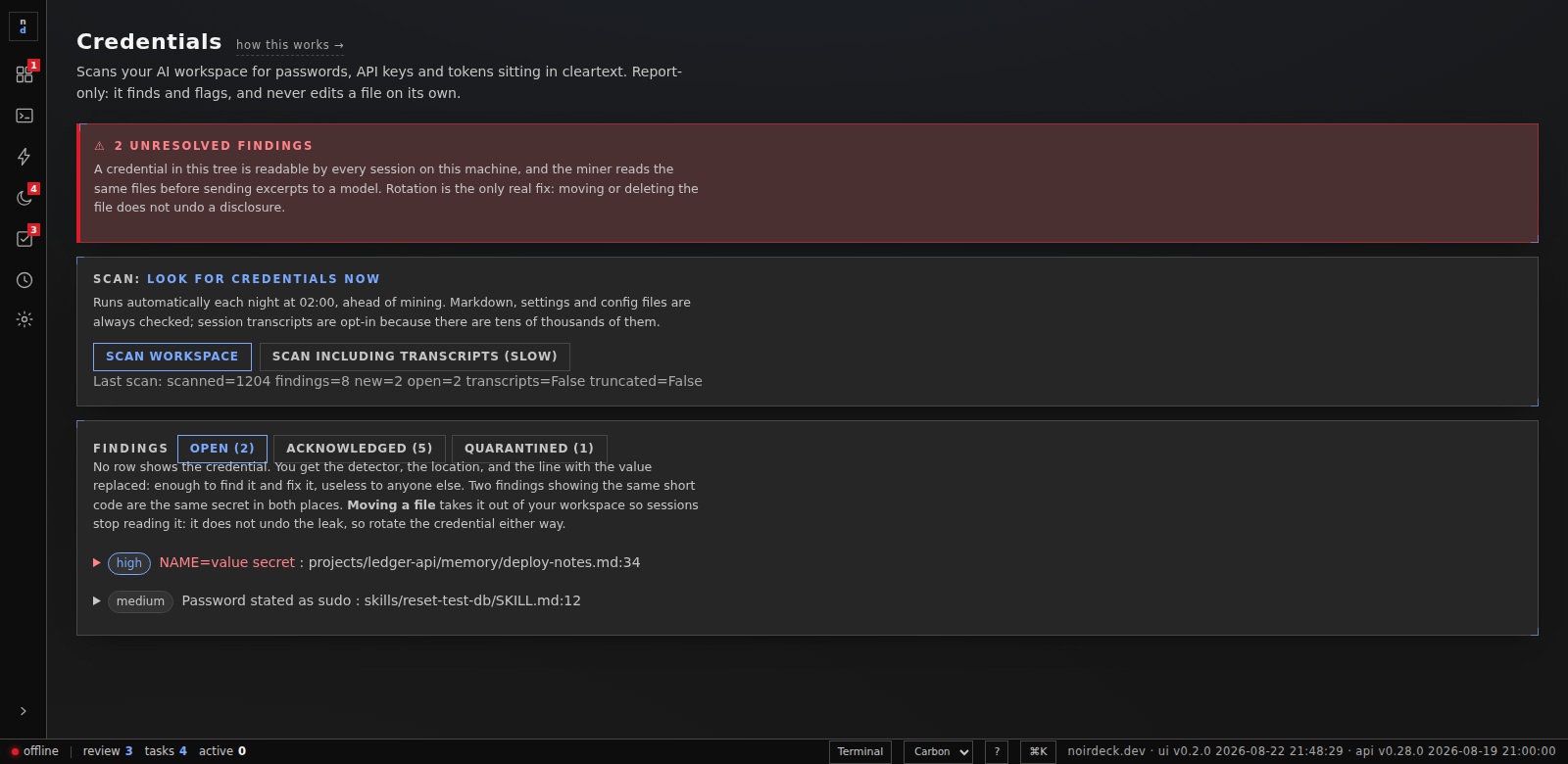
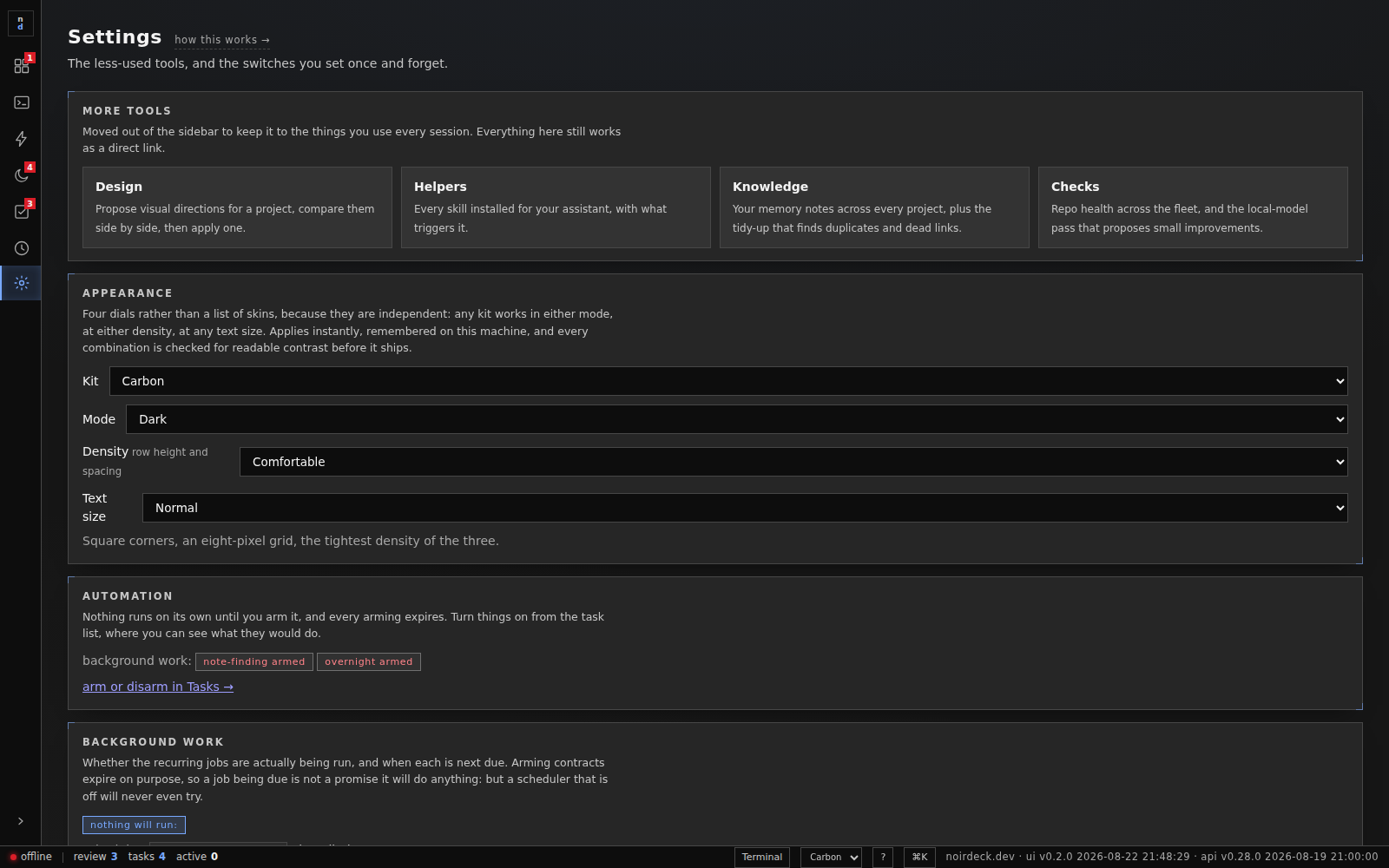
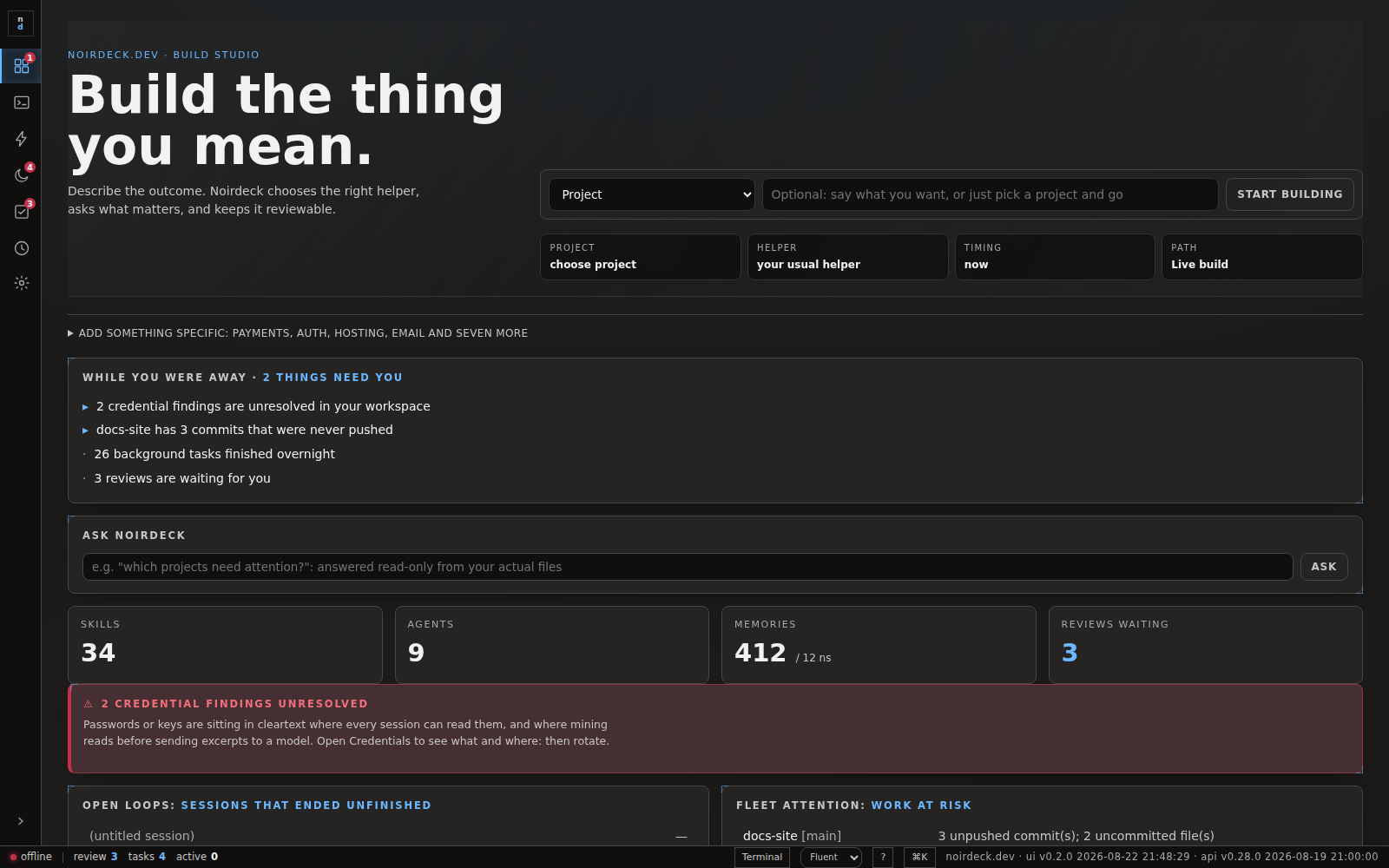
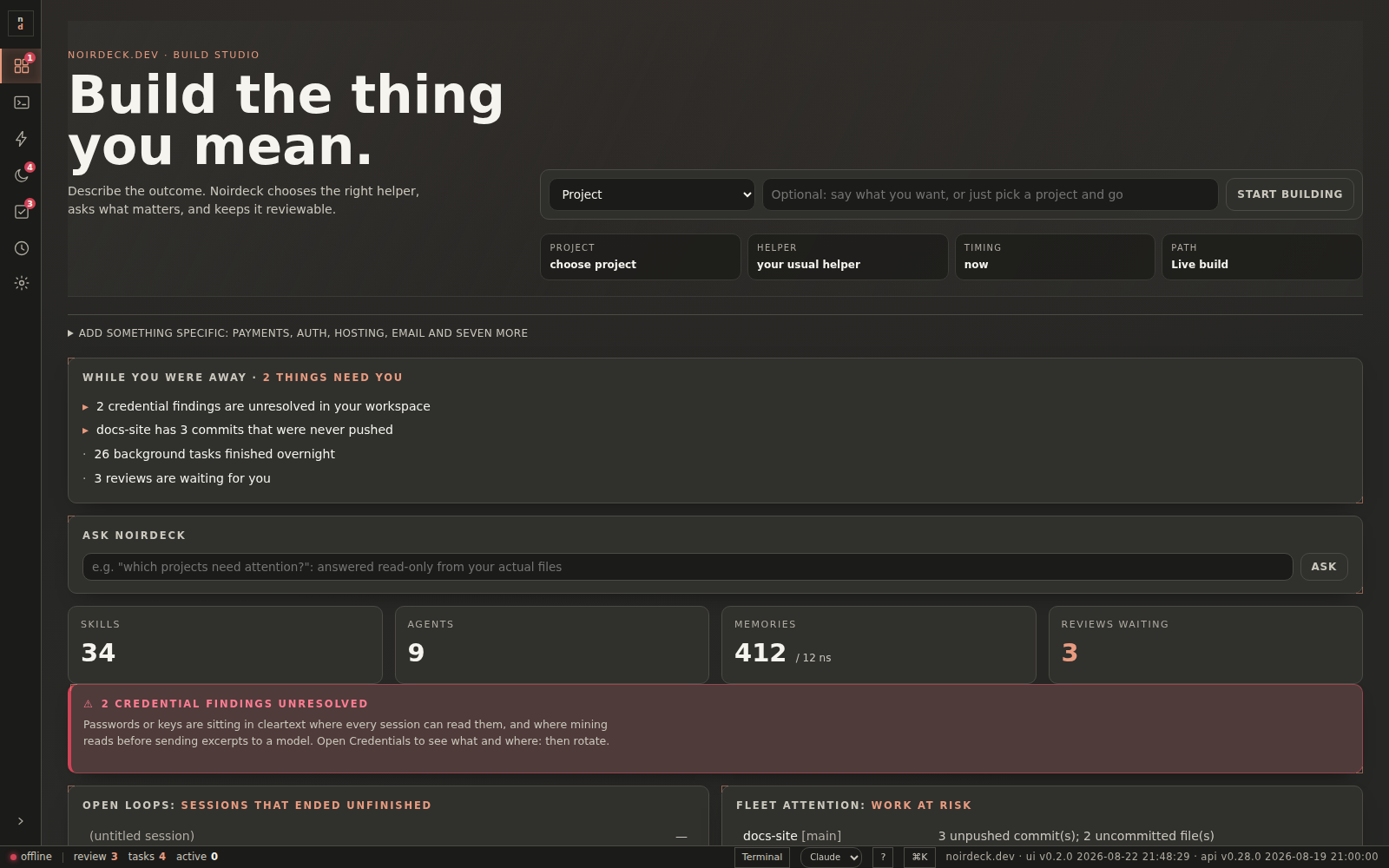
Captured from the running console. The projects and findings in them are invented — a screenshot of the real thing would show somebody's actual repositories.
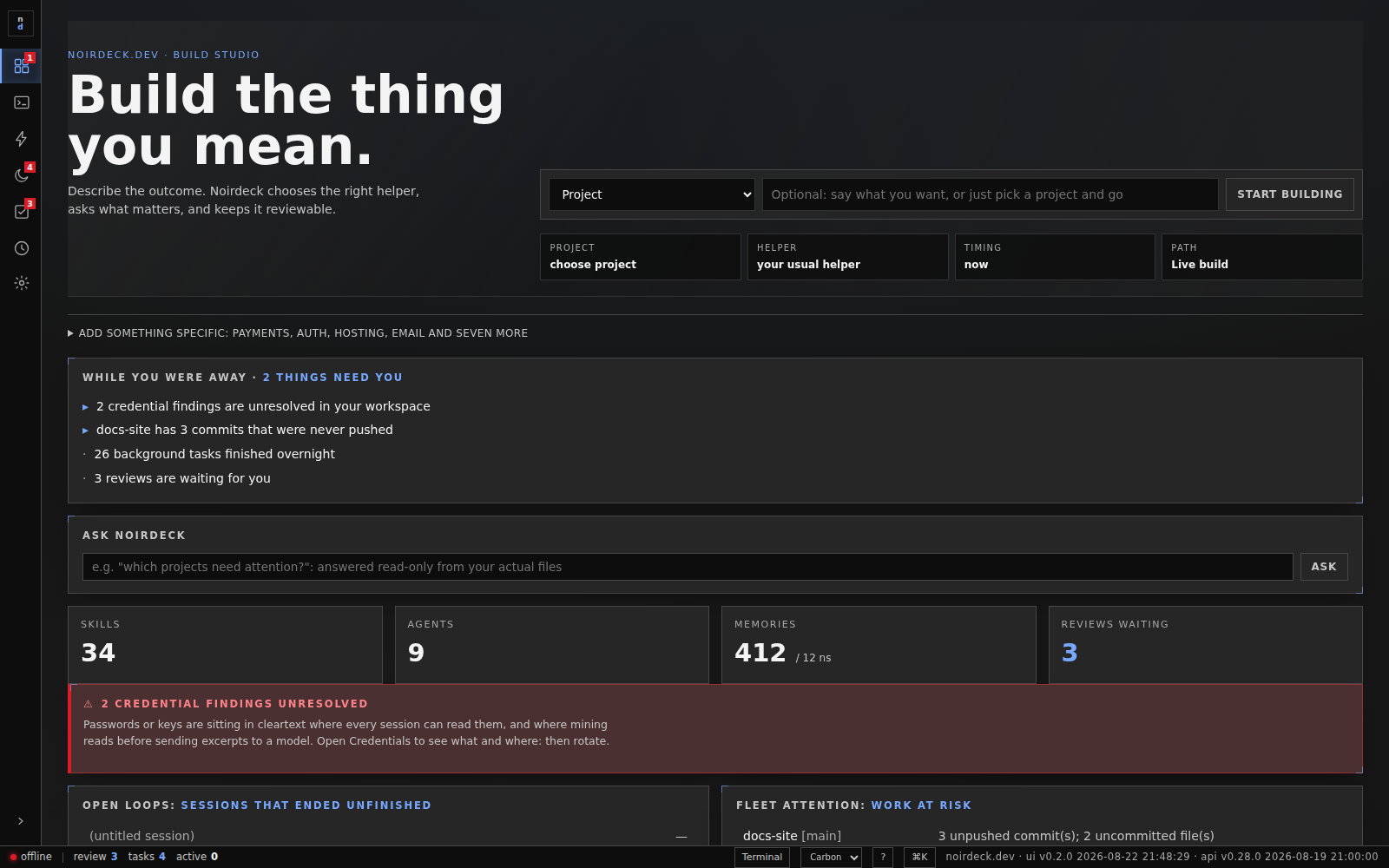
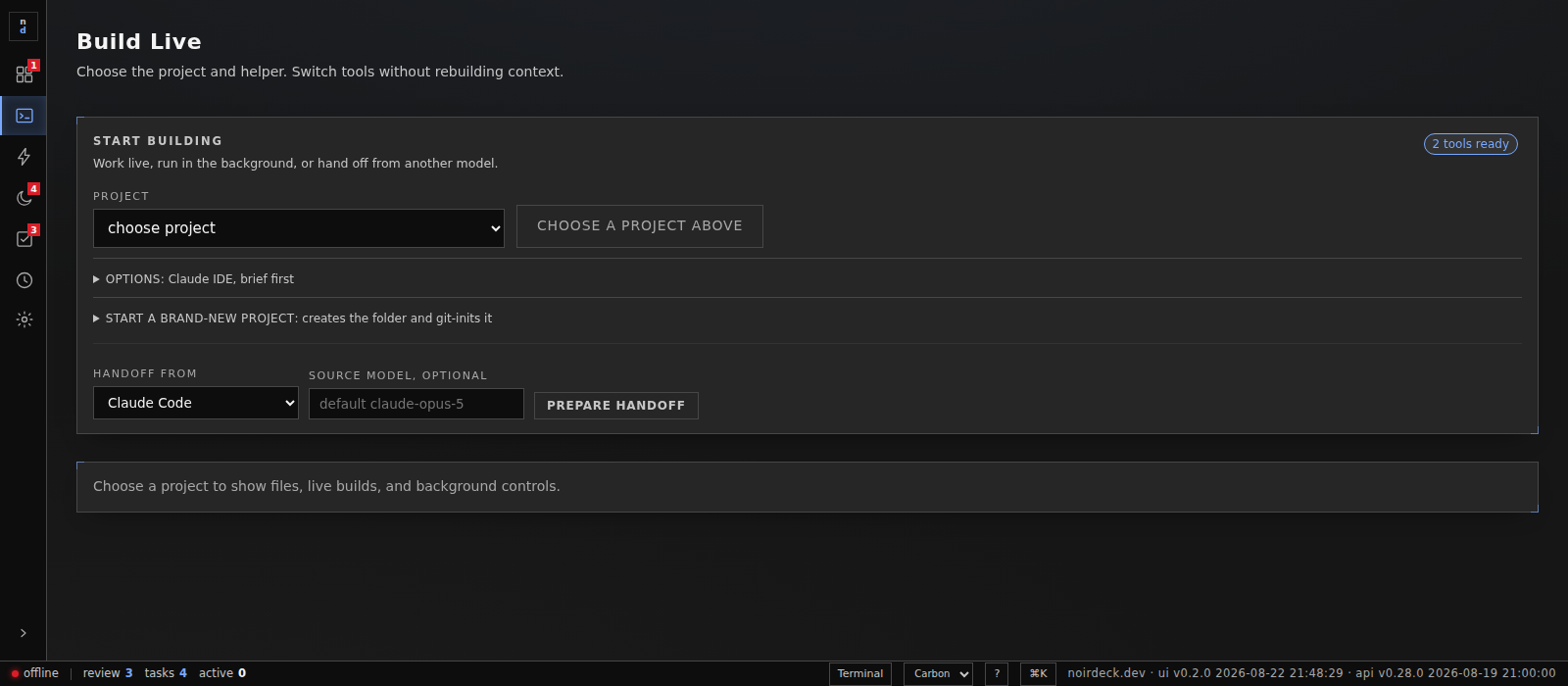
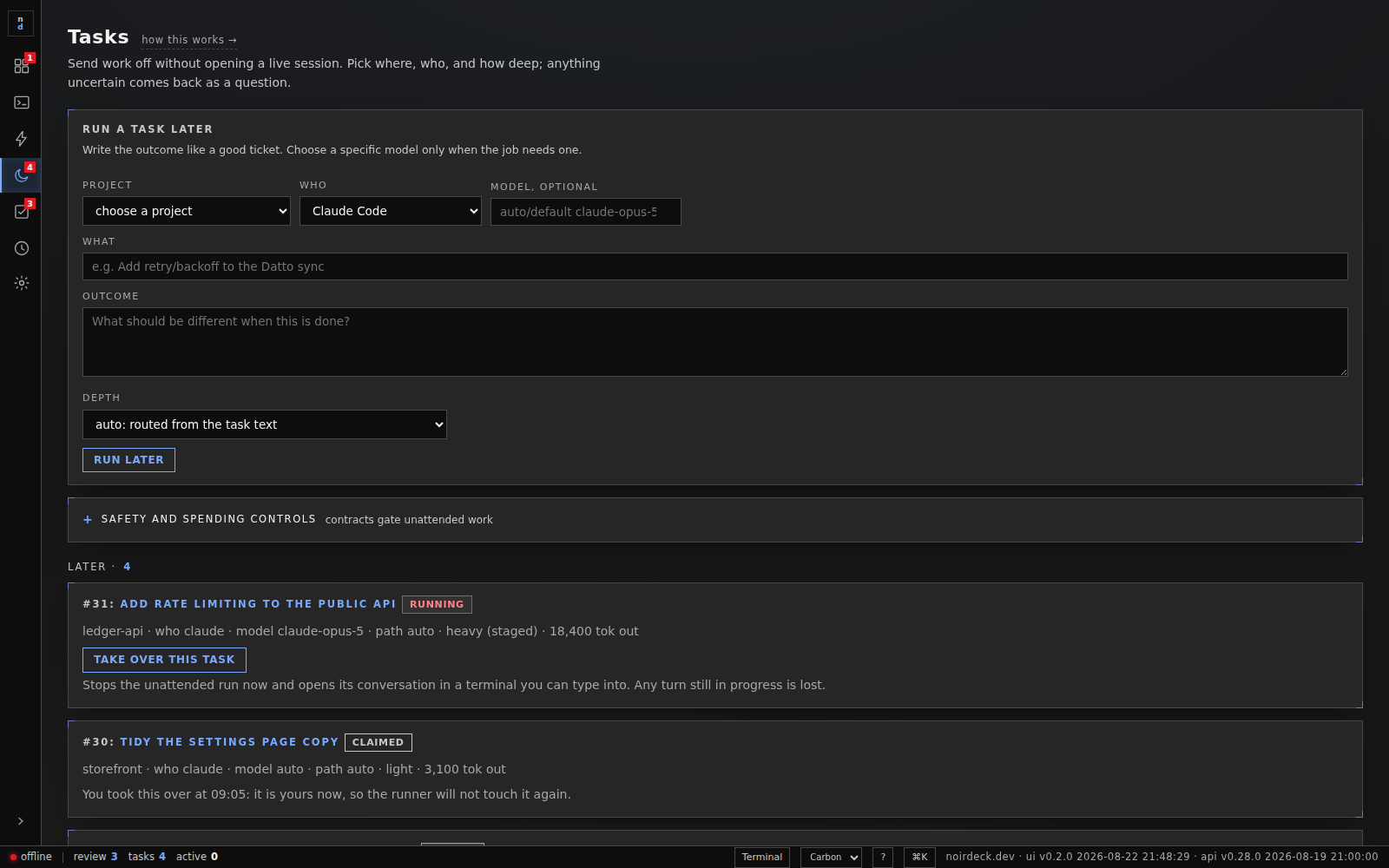
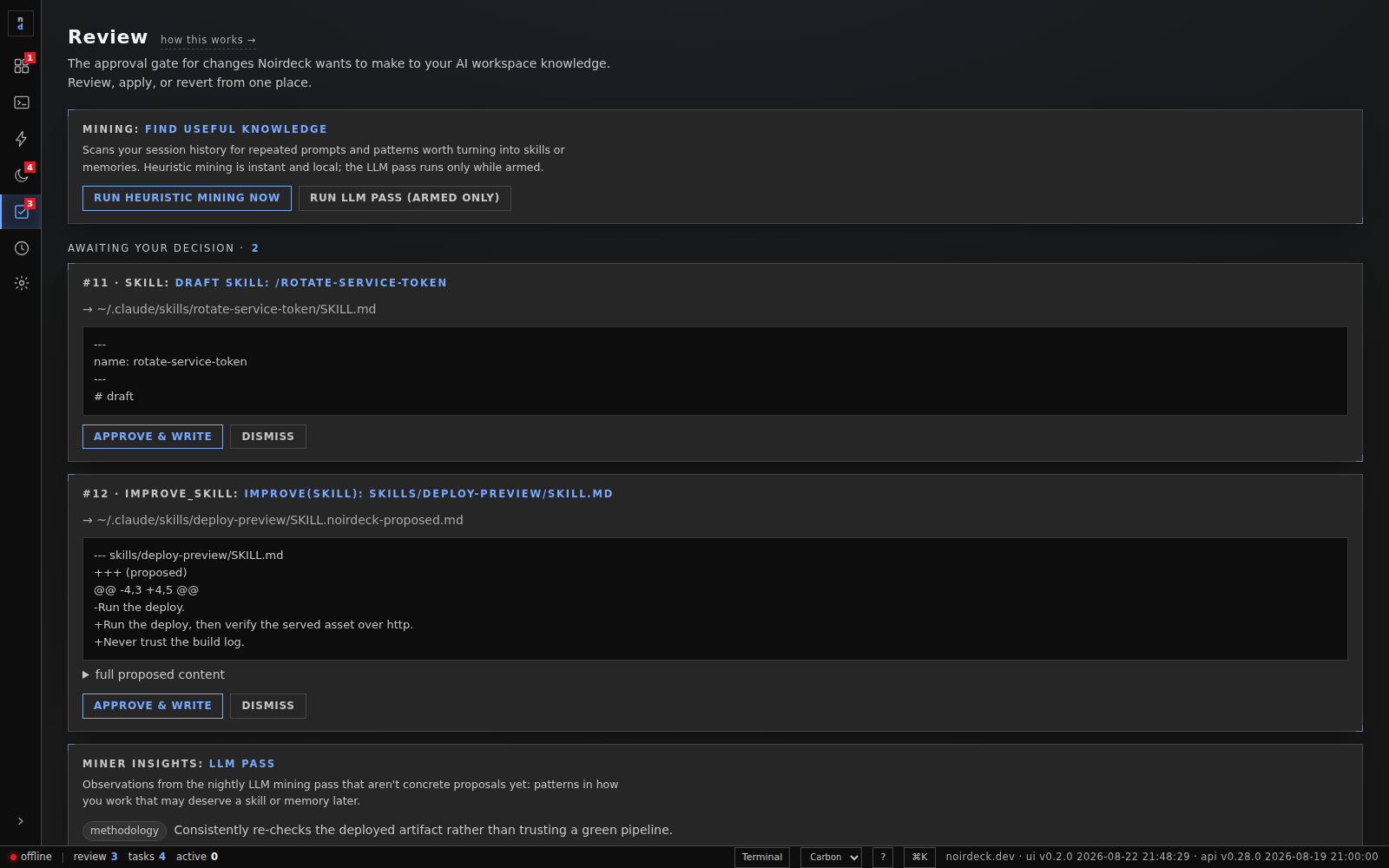
How it looks
Carbon is square-cornered and dense. Fluent is cool, layered and softly rounded. Claude is warm neutrals and a clay accent. A kit changes type, corner radius, row height and the accent family together, and each one works in dark or light, at either density, at any text size. Every combination is checked before it ships: text has to clear its contrast ratio on every surface, and the accent has to stay perceptually distinct from the alarm colour, so a kit can never make a warning look like ordinary furniture.
What you can ask for
The gap between “add payments” and a brief an assistant can actually execute is about six questions. noirdeck ships those questions for the ten things every product needs, so you answer them once instead of discovering them in the wrong order.
Or start from a whole thing, and answer as it goes:
Where the time goes
The same assistant does the same work at the same speed. What noirdeck changes is how much of it needs you sitting there, and how often you explain your own project back to it.
Queue a job with a deadline and a token budget and it runs in staged phases, plan then build then review, with gates between them that run outside the model. It parks the job with a question rather than guessing. You read the outcome, not the process.
Every background job starts with a written brief of the repository, its conventions and its recent history, assembled from what noirdeck already knows. On this machine that brief is about 670 tokens the assistant does not spend rediscovering.
Up to six live sessions at once, each in its own repository, each surviving a restart and resuming where it stopped. Handing one from one model to another carries the context across, so switching tools is not a re-briefing.
Changes to your notes and skills arrive as proposals with a diff, so the decision is a glance rather than an audit. noirdeck adds files and never edits one it did not write.
No speed multiplier is quoted because the queue runs one job at a time — a queued job takes about as long as the same job typed by hand. The saving is unattended time, not throughput.
Install
noirdeck installs from here rather than from a public index, so the download carries your key. Keys are free during Early Access, for personal and for business use, and arrive by email the moment you verify an address. The code is open to read atgithub.com/jasonagnewnz/noirdeck.
curl -fsSL https://noirdeck.dev/install.sh | sh -s -- YOUR-KEYOne line, no admin rights, and it brings its own Python so there is nothing to set up first. Linux and macOS — on Windows, run it inside WSL.Read the script before you pipe it anywhere; it is short on purpose.
Your key is checked when you download, and nowhere else. The installed software never contacts us, which is why it keeps working whether or not we do, and why pointing it at a local model means nothing leaves the machine at all.
To be straight about what the key is for: it is so we know who is running noirdeck while it is this young, and can tell you when something breaks. It is not a lock. The repository above is the same application, building it yourself needs no key, and the licence expressly allows it. We would rather say that here than have you find it out and wonder what else we were quiet about.
Get a keyRead the sourceCoffee
noirdeck is free during Early Access and stays free for personal use. If it has saved you an afternoon, you can put something in the tin. No account, no subscription, and nothing about the software changes either way.
Buy me a coffee